

Content
Filming Lab.
Learn how to build a clean phone setup, use light correctly, frame your shots, capture stronger B-roll, improve audio and create a filming system that works whether you are brand new or ready to create more polished content.
Build your
beginner setup.
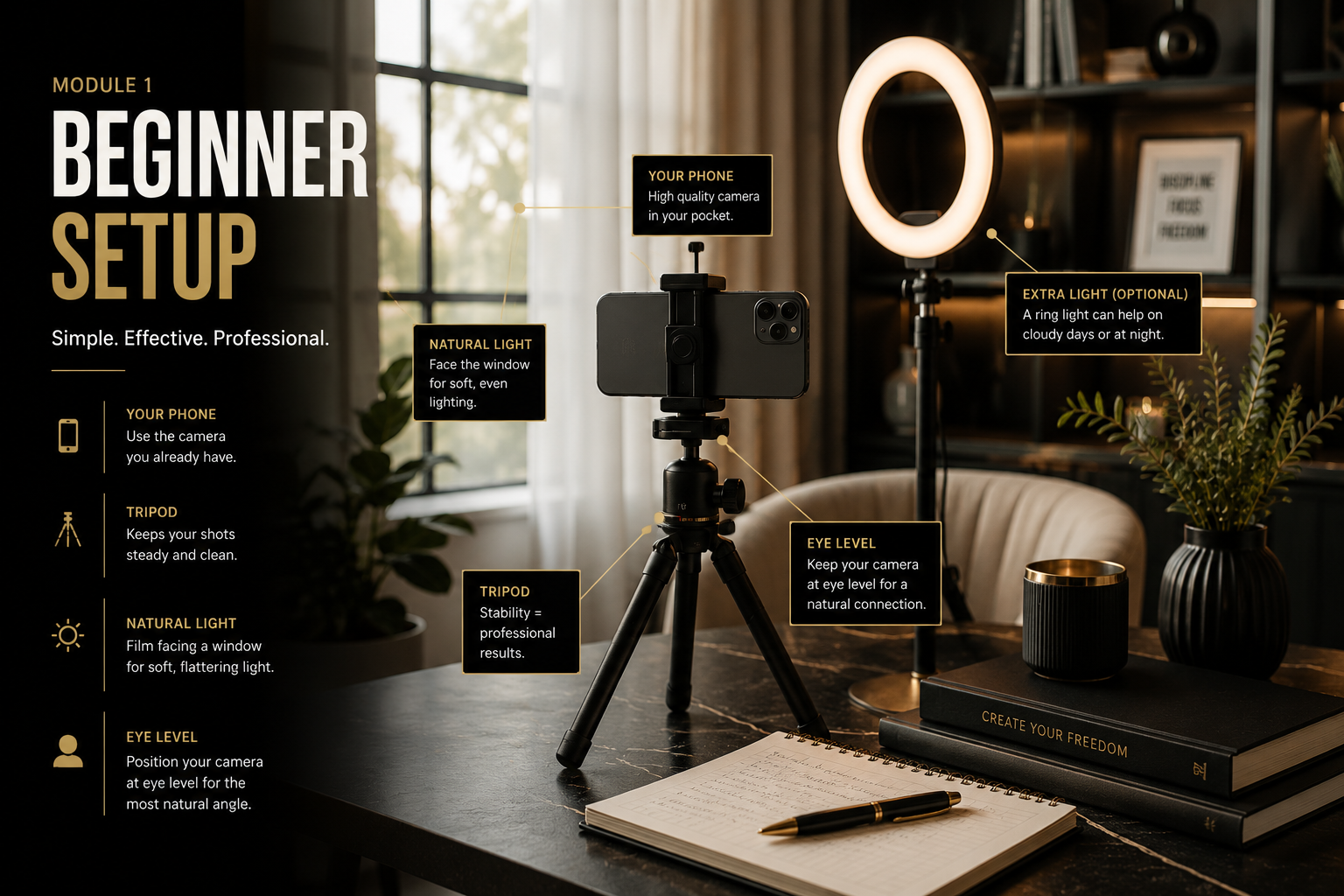
Learn where to place your phone, how high it should sit and how to create a clean filming area without buying a studio full of equipment.
Beginner Phone Setup
Generate a realistic creator setup showing a phone on a tripod, eye-level placement, window light, clean background and creator position.
Control the
light.
Good lighting makes phone footage look intentional. Start with window light, then learn how to control artificial light when you are ready.
Natural Window Light
Show a creator facing a window with soft light across the face and the phone positioned directly in front.
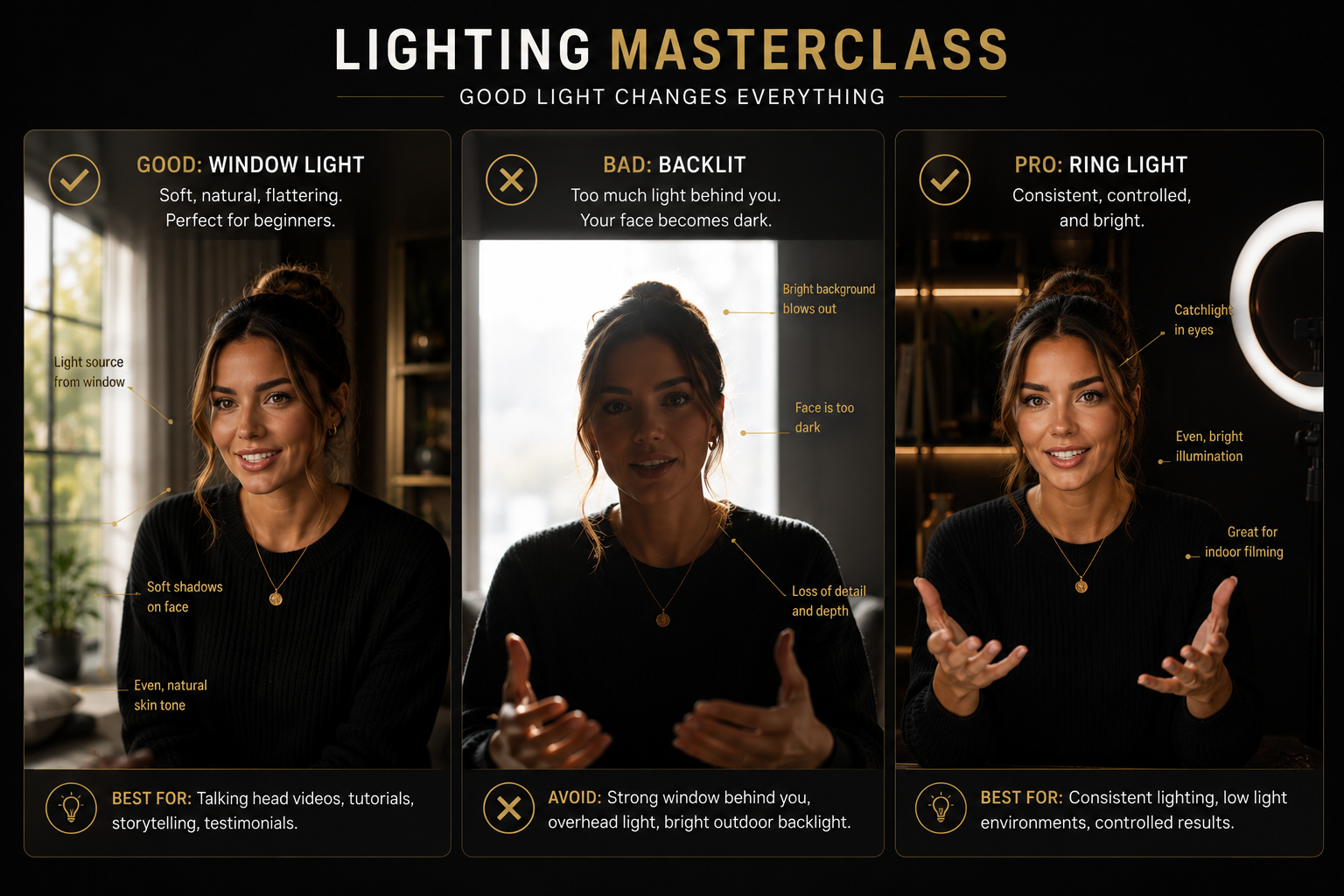
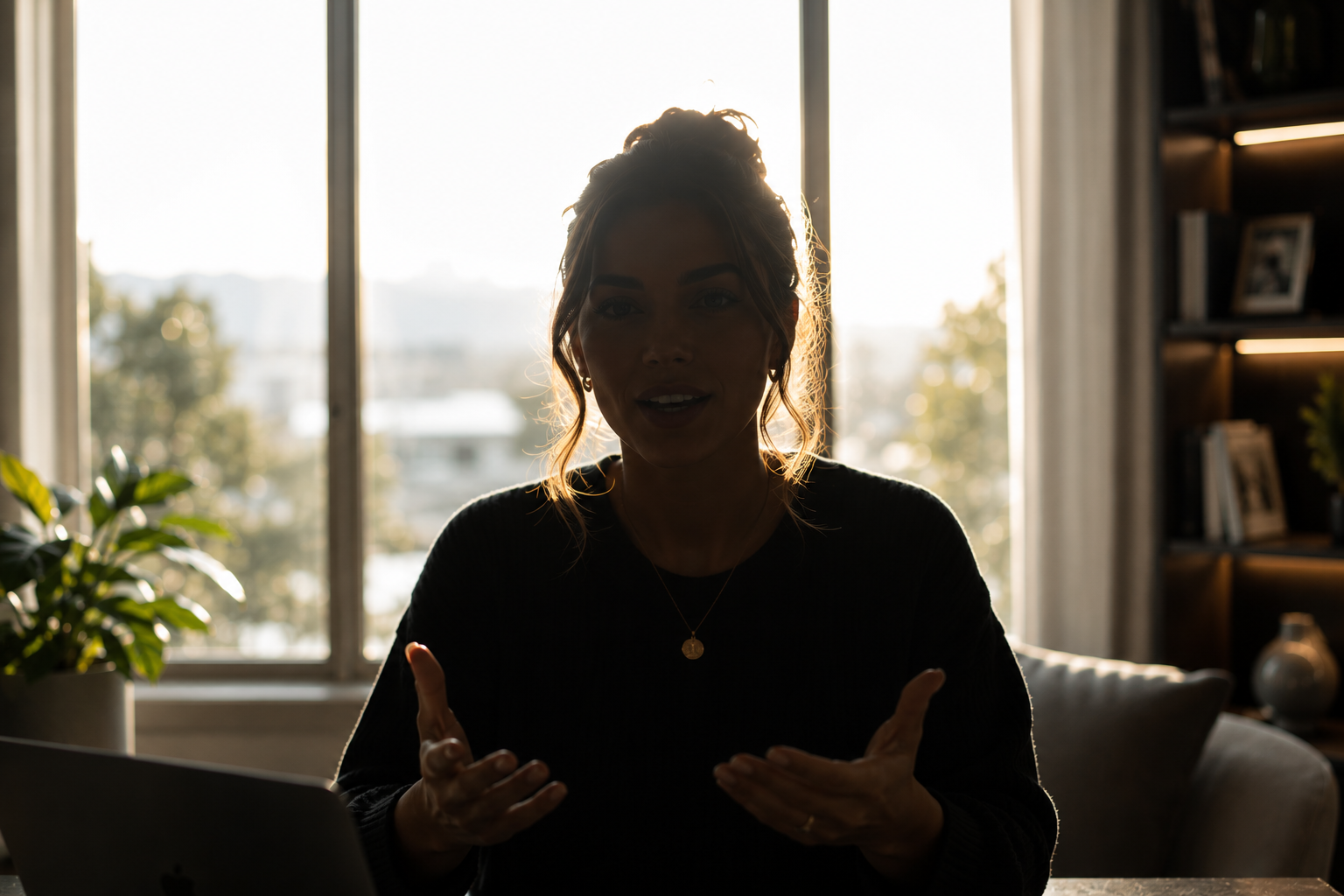
Bad Backlighting
Show the creator standing with a bright window behind them so the face appears dark, with a clear incorrect marker.
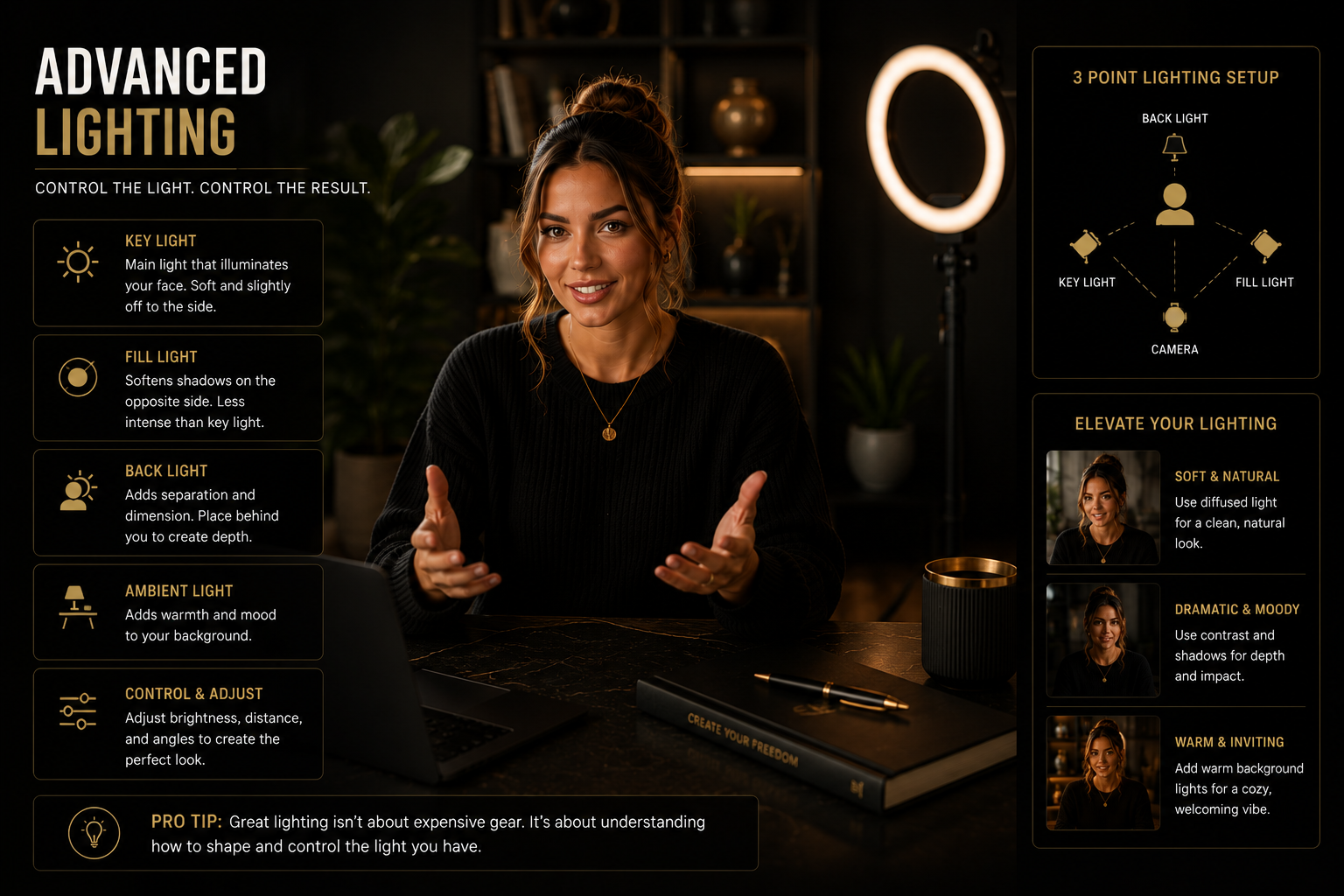
Advanced Light Setup
Show a professional key light, soft fill light and separation from the background while still using a phone camera.
Fix the
camera angle.
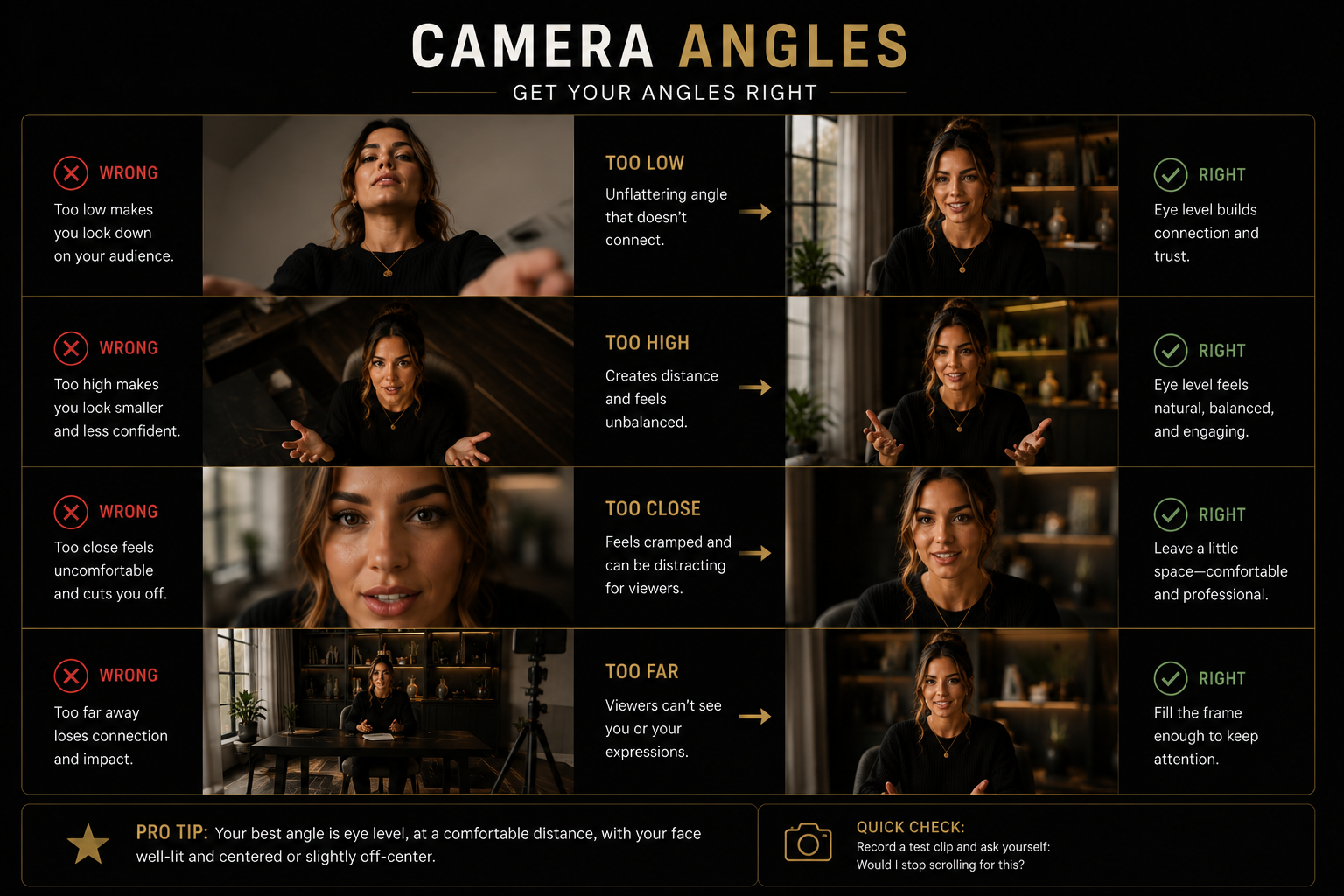
The angle changes how the viewer experiences the video. Eye level is the safest starting point, while advanced creators can use deliberate angles for mood and movement.
Wrong vs. Correct Camera Angles
Create a comparison showing camera too low, camera too high, too close, too far and the correct eye-level chest-up frame.
Choose a stronger
background.
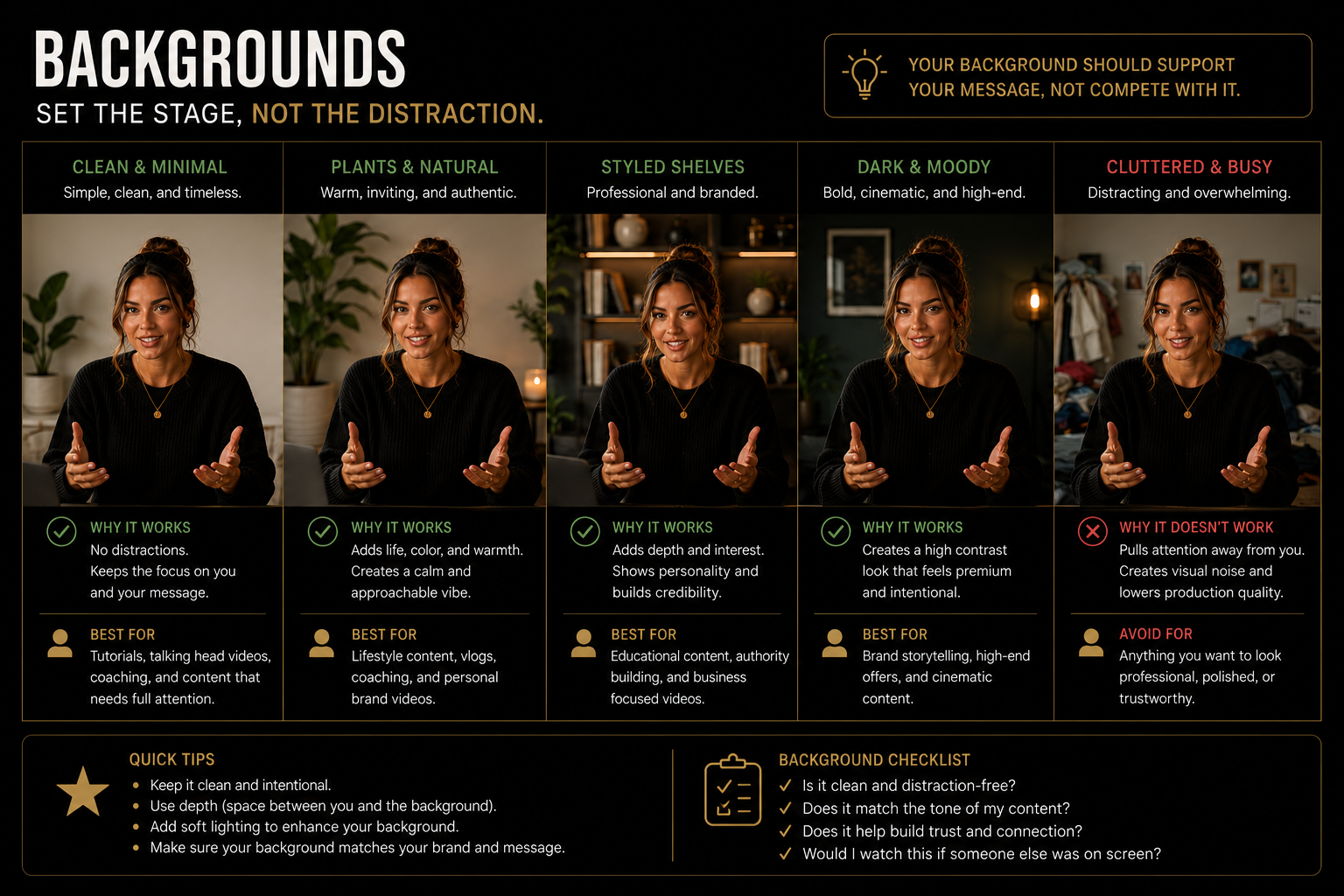
Your background should support the content without distracting from it. Clean does not have to mean empty.
Background Examples
Show realistic creator backgrounds including a simple wall, office, kitchen, living room, coffee shop and car setup with clear labels.
Build your
shot library.
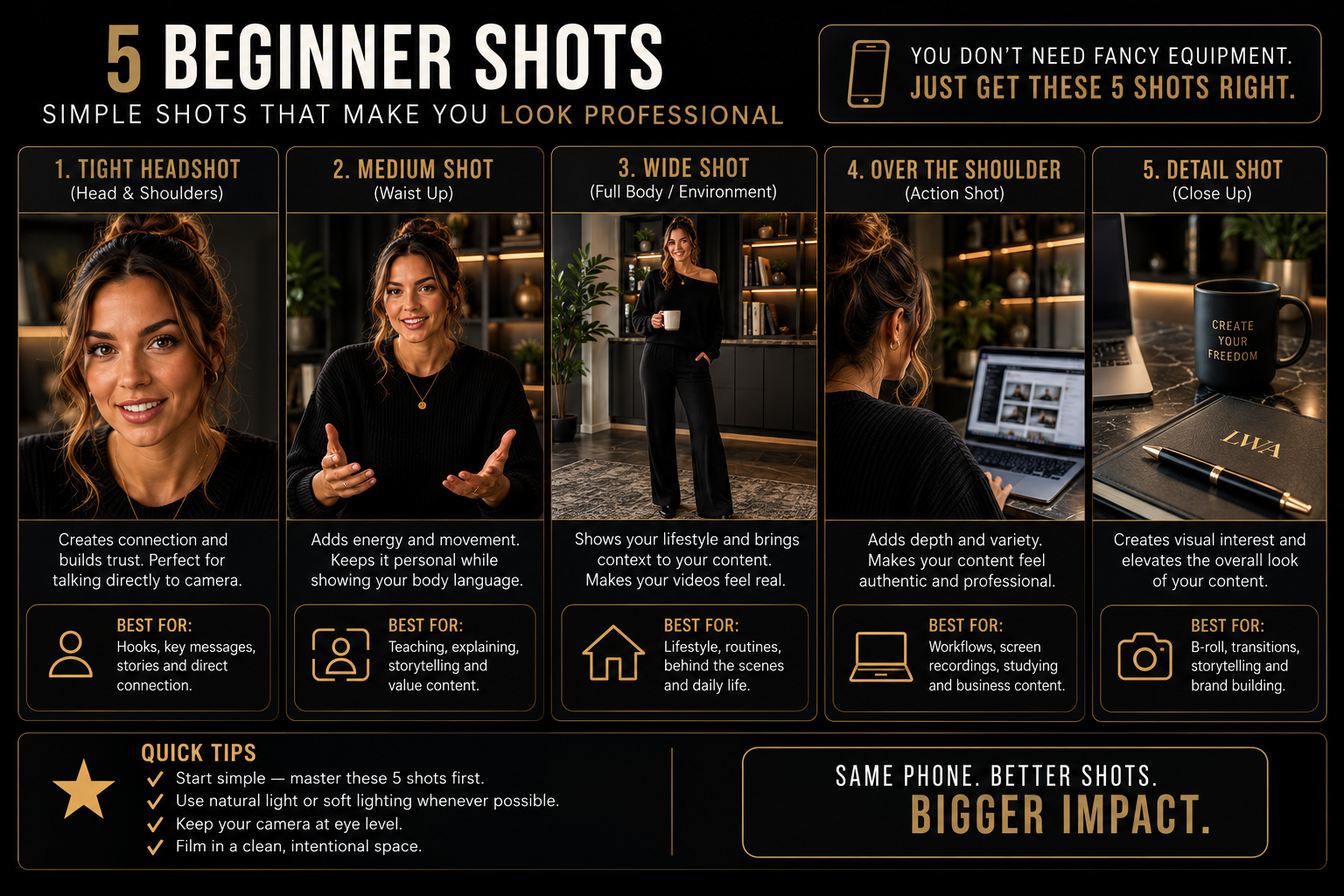
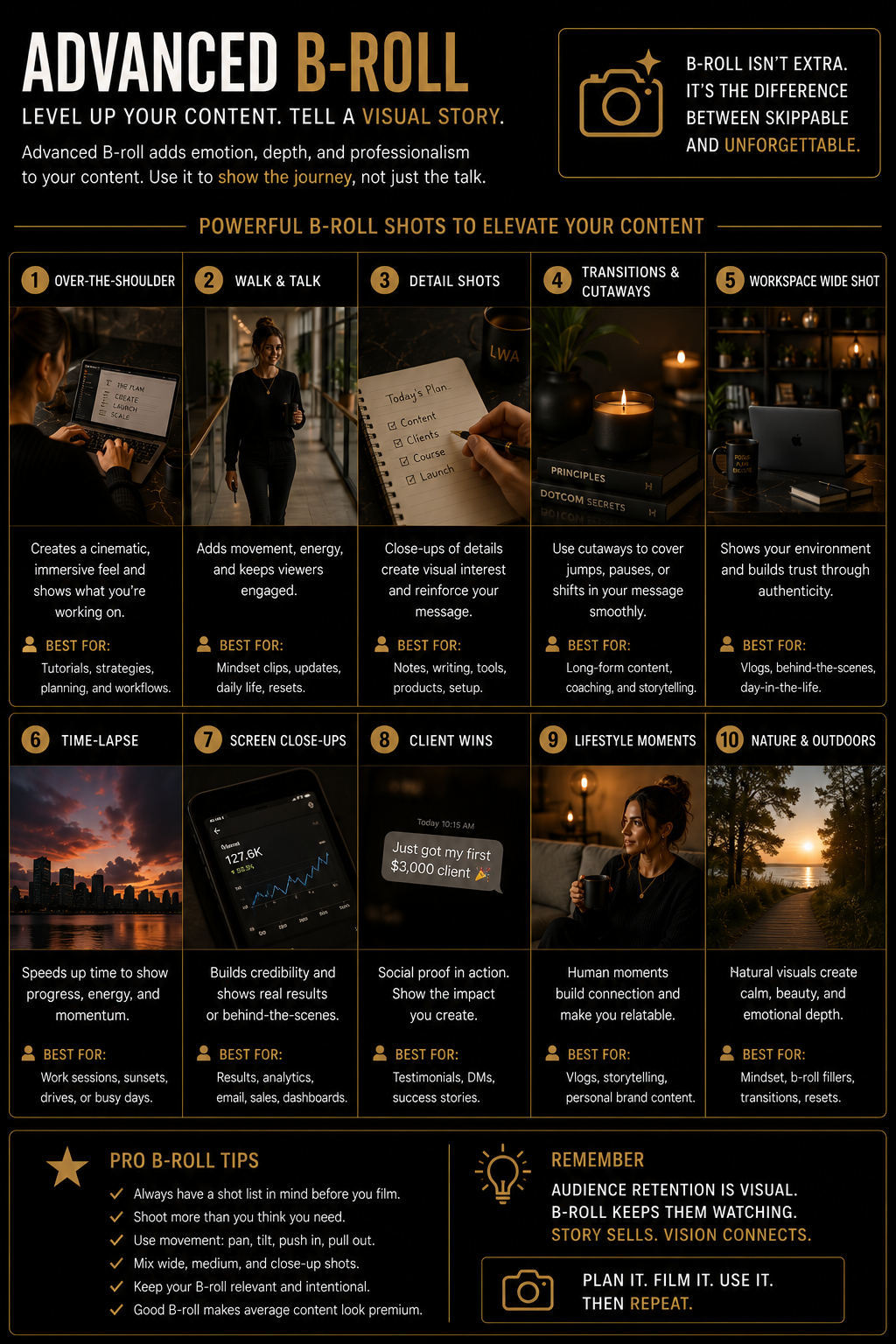
Use a mix of direct-to-camera and B-roll footage so your content feels more dynamic without becoming complicated.
Beginner Shot List
Show talking head, walking, typing, phone use, coffee, product close-up, hands, overhead and POV shots as realistic examples.
Talking Head
Use for teaching, storytelling, opinions and direct connection.
Simple B-Roll
Film hands, movement, workspaces, tools and the environment around you.
Product Detail
Capture close-ups, textures, packaging, features and product use.
Film beginner
B-roll.
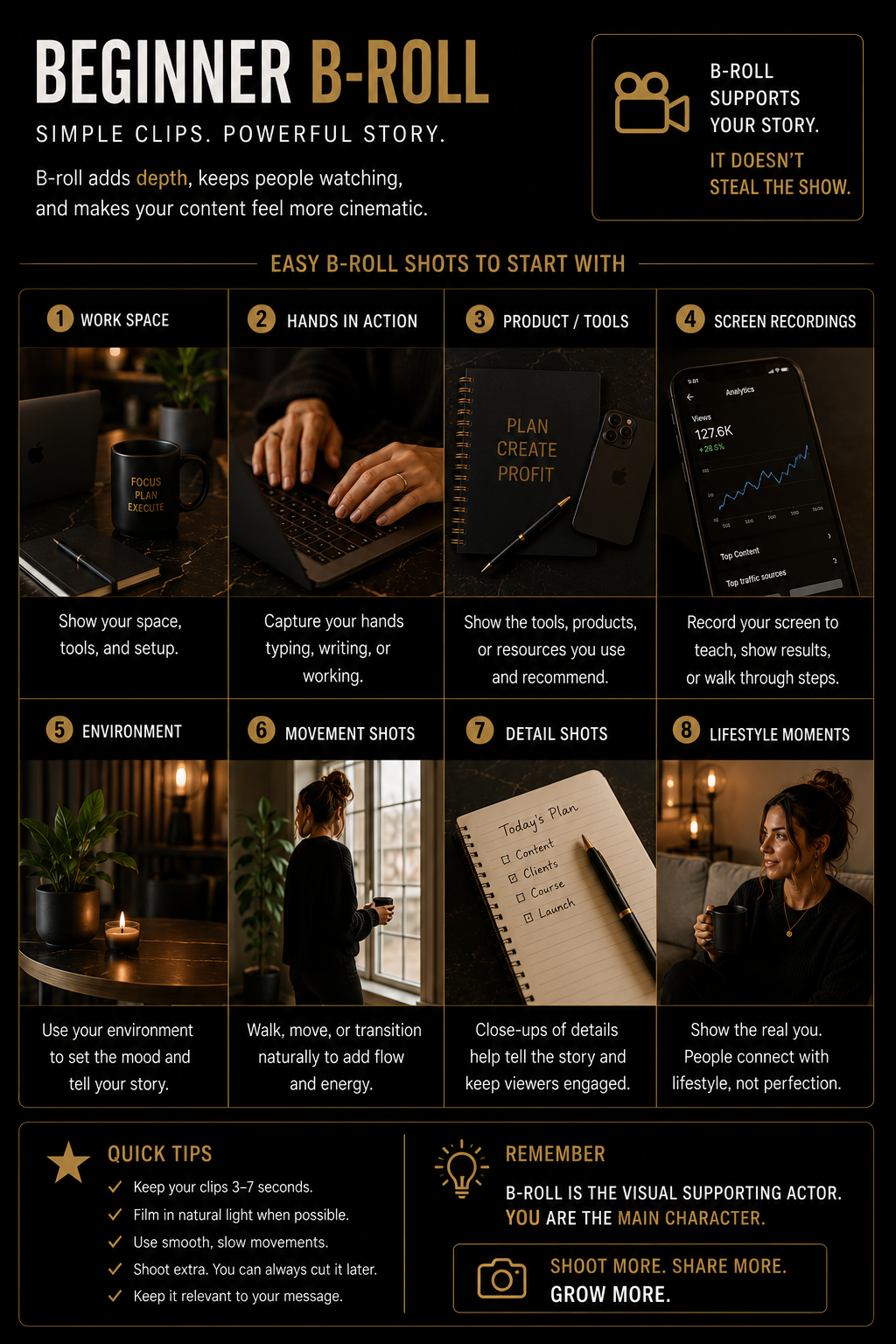
Beginner B-roll should be simple, stable and easy to repeat. Focus on useful shots instead of complicated movement.
Beginner B-Roll Storyboard
Show a step-by-step storyboard for opening a laptop, typing, writing, using a phone, walking and looking at the camera.
Add advanced
movement.
Once your framing and lighting are consistent, use intentional movement to make B-roll feel more cinematic.
Advanced B-Roll Moves
Show push-in, pull-back, reveal, whip pan, foreground framing and side-to-side movement as realistic filming examples.
Make the audio
clear.
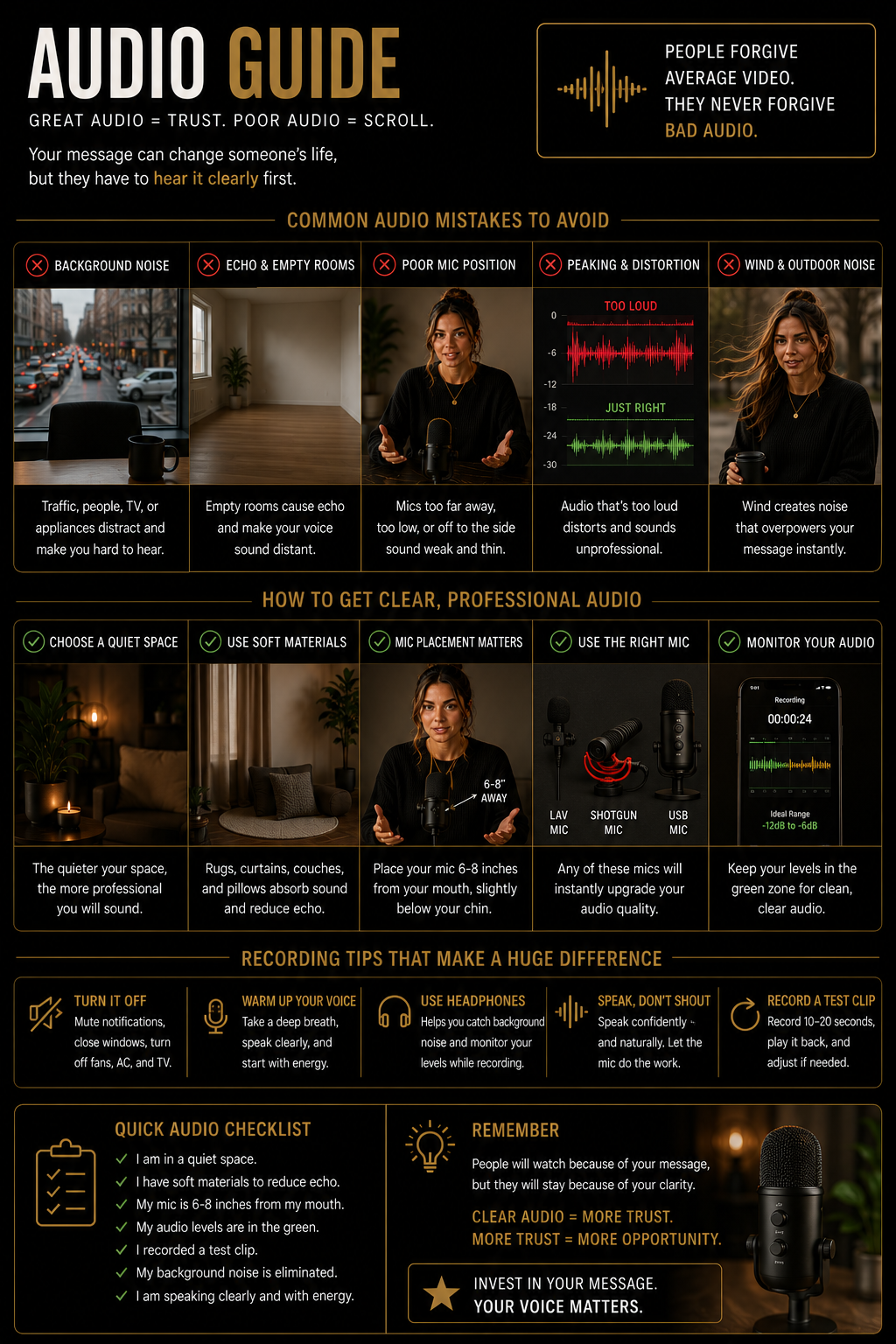
People will tolerate imperfect video longer than unclear audio. Reduce echo, background noise and distance from the microphone.
Audio Setup Guide
Show correct and incorrect microphone distance, room echo, soft furnishings, wired lavalier microphone and wireless microphone placement.
Use the right
camera settings.
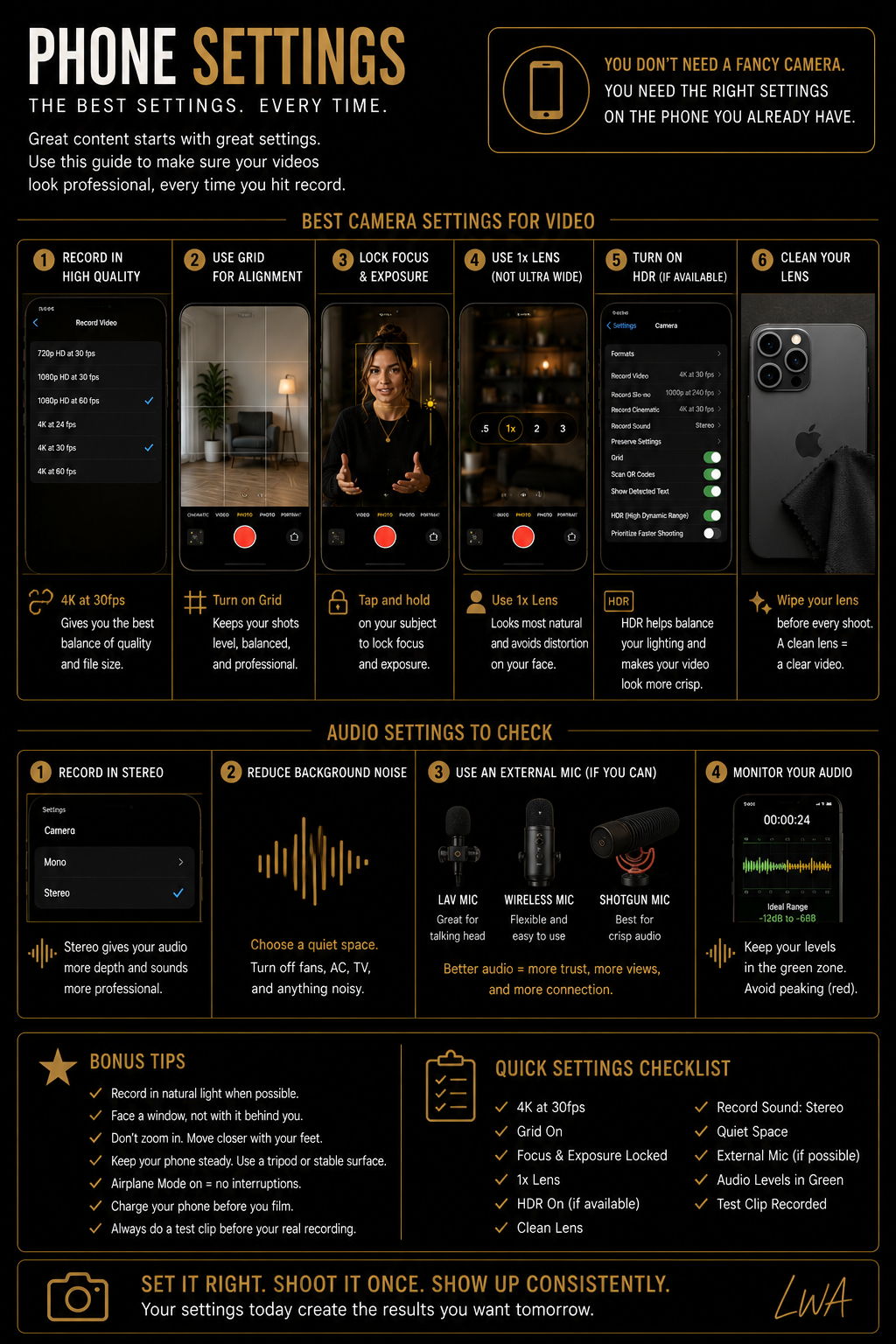
Beginners can use simple automatic settings. Advanced creators should understand frame rate, exposure lock, focus lock and grid tools.
Phone Camera Settings
Show realistic phone settings for 1080p, 4K, 30 fps, 60 fps, grid, focus lock, exposure lock and HDR with beginner and advanced recommendations.
Batch your
content.
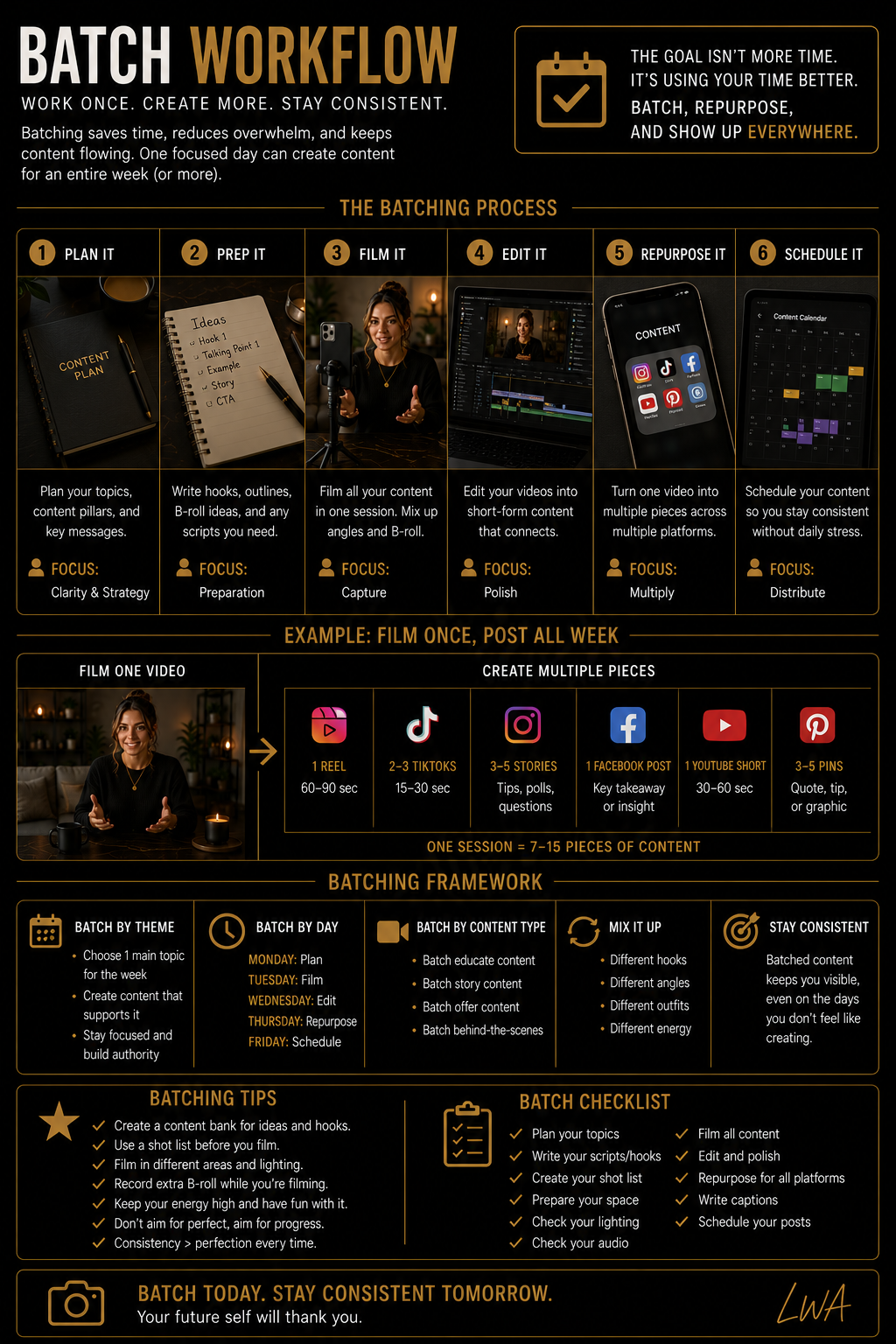
Use one setup to record several pieces of content while the lighting, framing and equipment are already ready.
Batch Filming Workflow
Create a visual workflow showing plan, setup, record hooks, record main content, capture B-roll, organize files and reset.
Start simple.
Upgrade strategically.
A better camera does not replace strong framing, lighting and delivery. Upgrade equipment only when it solves a real limitation.
Beginner vs. Advanced Setup
Compare a phone, window and tripod setup with a professional camera, key light, fill light, microphone and monitor setup.
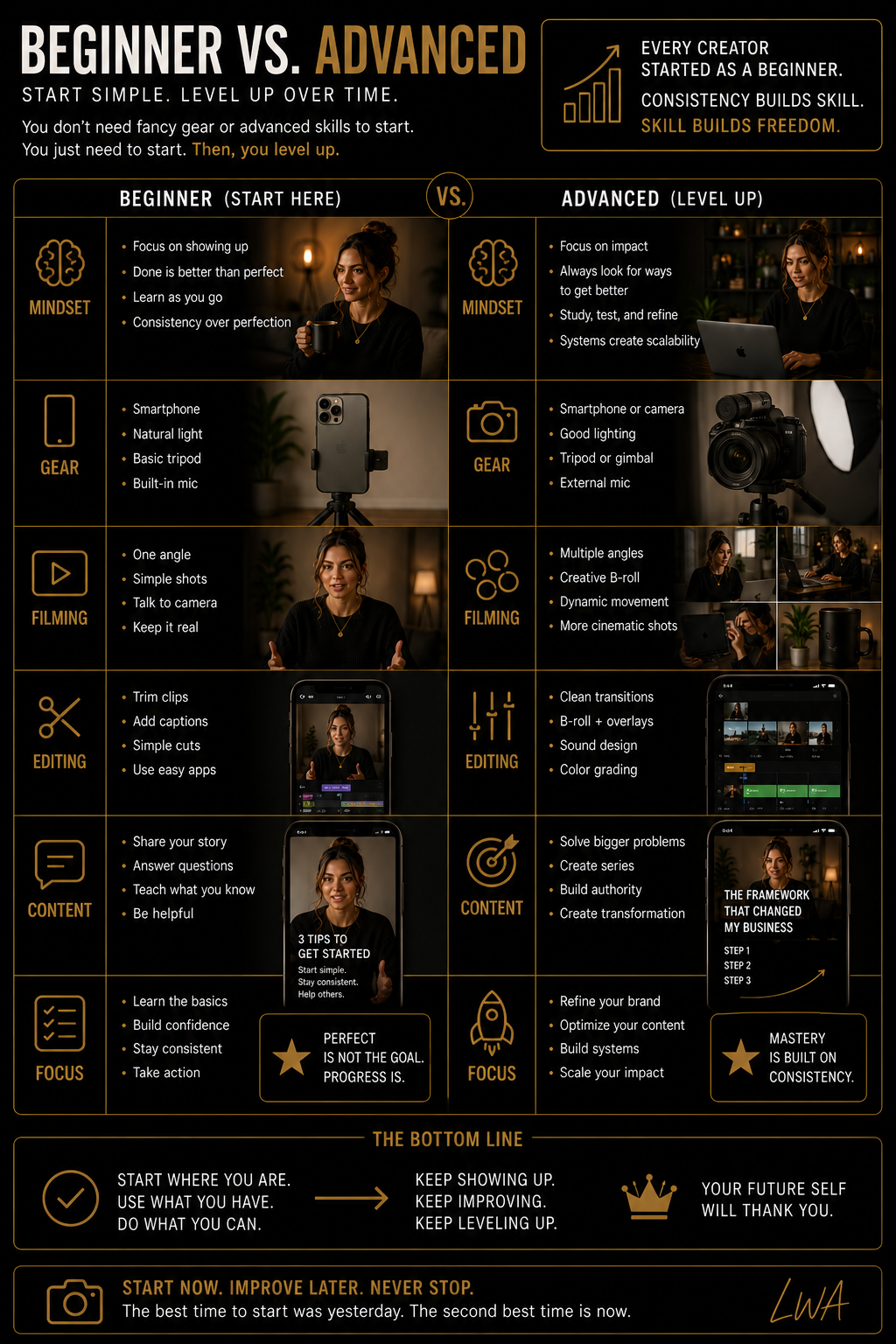
Know what
to film.
Use repeatable formats so you never have to invent every video from scratch.
Content Format Examples
Show realistic examples of a hook video, educational Reel, story Reel, product demo, voiceover, before-and-after, day-in-the-life and B-roll montage.
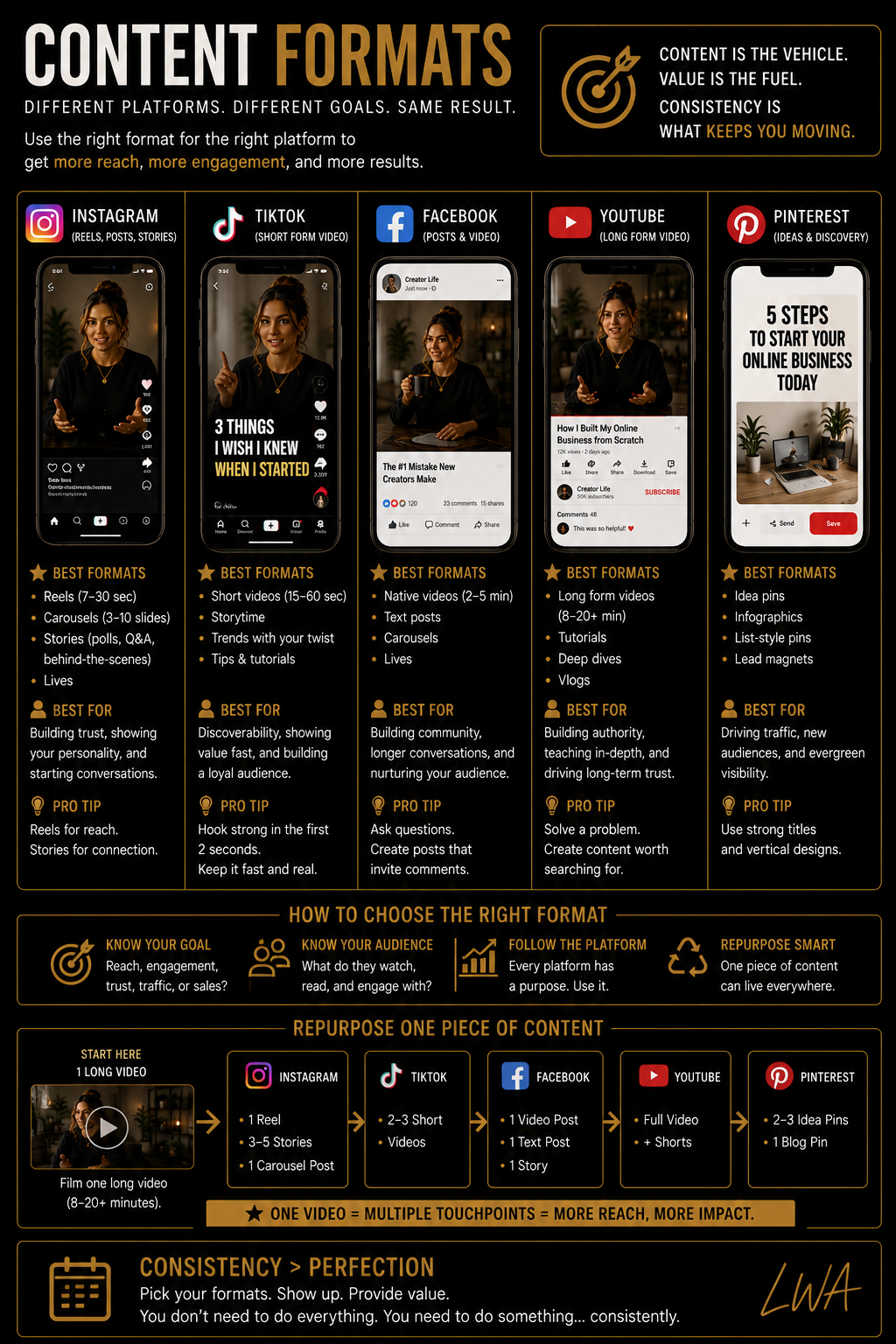
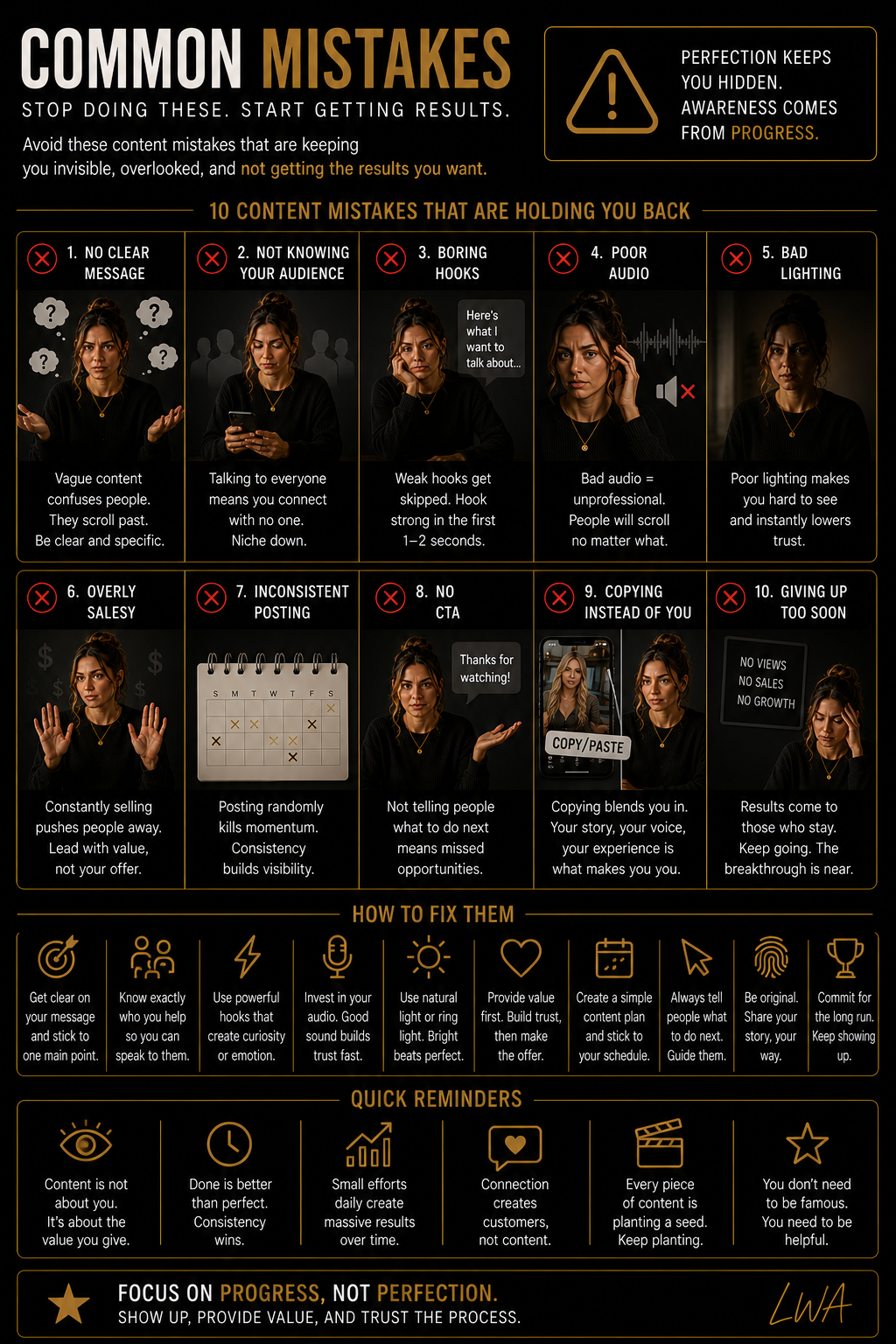
Fix the common
mistakes.
Small filming mistakes can weaken strong content. Use this section as a final visual quality check.
Common Filming Mistakes
Show dirty lens, bad backlight, camera too low, head cut off, busy background, unclear audio and the corrected version beside each example.
Check the setup.
Then record.
Use this checklist before filming and again before you move or pack away the setup.
Filming Checklist Flat Lay
Show a premium flat lay with phone, tripod, microphone, light, notebook, water, charger and a clean filming checklist.
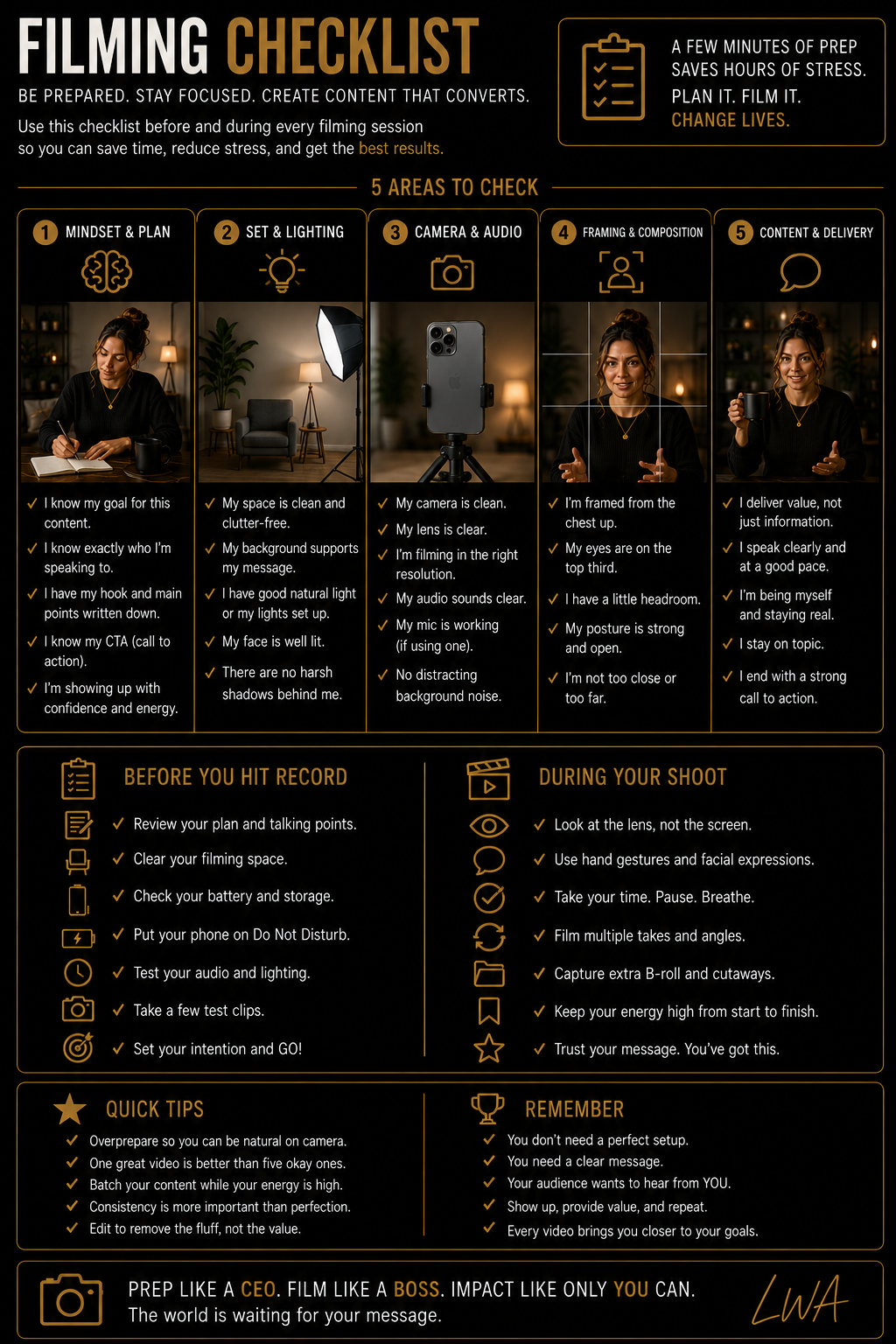
Before You Record
Before You Finish
Set the frame.
Press record.
Return to this lab whenever you need help with setup, lighting, framing, shot planning, audio, advanced movement or batch filming.